

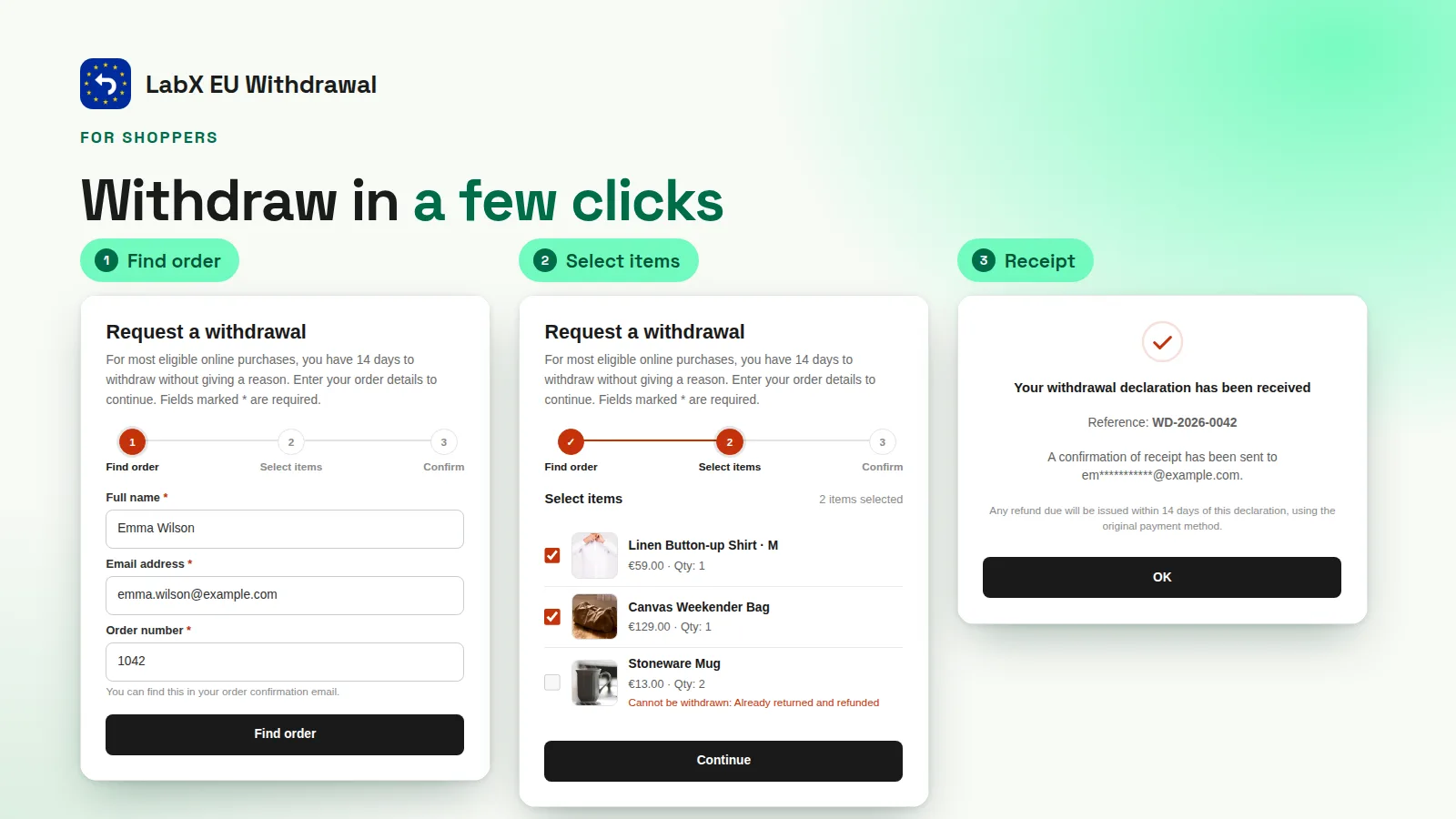
For shoppers: withdraw in two steps
-
A visible button
A withdrawal button stays reachable for the whole withdrawal period: in a theme block, as a floating button or on its own page.
-
Find order, pick items, confirm
Shoppers enter the order number and email, select the items they are withdrawing from and confirm a declaration.
-
Instant acknowledgement
An email confirms the declaration and its reference, so the shopper has a record on a durable medium.
For you: one queue for every request
-
Refund deadlines
Each request shows its deadline, so nothing slips past the 14 days you have to refund.
-
Accept, reject, refund
Change a status, issue the refund and send the outcome email from the same screen.
-
Append-only audit trail
Every change is a new event with the previous status, kept as evidence. Old events are never edited.
Frequently asked questions
Does my store need a withdrawal button?
If you sell to consumers in the EU and target the EU market (EU languages, euro prices, EU-facing ads), Directive (EU) 2023/2673 requires an electronic withdrawal function from 19 June 2026. There is no revenue threshold. B2B-only stores are out of scope.
Does installing the app make my store compliant?
Not on its own. The app covers the technical part: the button, the two-step flow, the acknowledgement on a durable medium and the audit trail. Your withdrawal policy, how you handle refunds and legal advice stay with you.
Do shoppers need an account to withdraw?
No. They look up the order with its number and email, choose the items and confirm. No login is required.
How is the 14-day window calculated?
From the latest delivery in the order. When the carrier reports no delivery date, the app assumes a transit time you set (5 days by default). You can add grace days on top of the legal 14, never fewer.
Where can I place the button?
As a theme app block, as a floating button, or on a storefront page the app creates and links from your menu. A footer link plus a link from order history is the usual setup.